Full tournament page
Everything in one block, with navigable tabs: info, players, pairings and standings.
Show standings, pairings, players, calendar, regulations and registration for your tournaments right inside your WordPress pages — as native HTML that inherits your theme's style. No management: information only, always up to date.
Enter the tournament ID and choose what to show: every view stays in sync with my.chesspairings.org.
Everything in one block, with navigable tabs: info, players, pairings and standings.
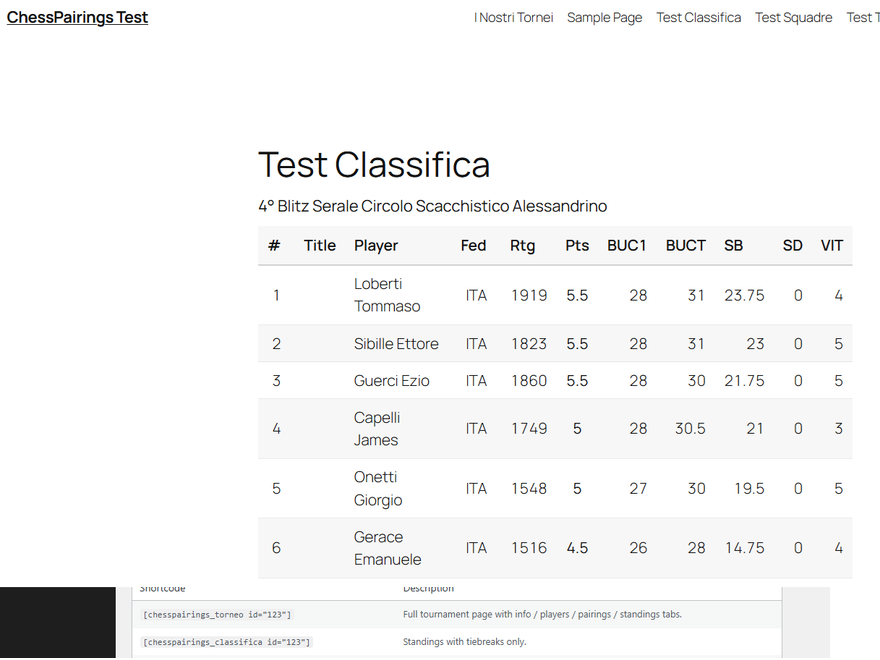
Positions, points and tie-breaks (Buchholz, Sonneborn-Berger) updated round by round, with FIDE titles and ratings.
Each round's pairings with colours, ratings, result and byes, as soon as the arbiter publishes them.
Your tournaments or the public ones in your federation, in a list with date, venue and status.
Publish the regulations and a registration button: players sign up on ChessPairings in one click.
Matches, boards, rosters and match/game-point standings: the team module is included.
Generate a free API key from your ChessPairings profile, paste it once in the settings, then all you need is the tournament ID. The rest is automatic.
Activate the plugin and paste your API key in Settings → ChessPairings.
Pick the "ChessPairings Tournament" block, the view and the tournament ID.
Standings, pairings and calendar appear and stay up to date on their own.
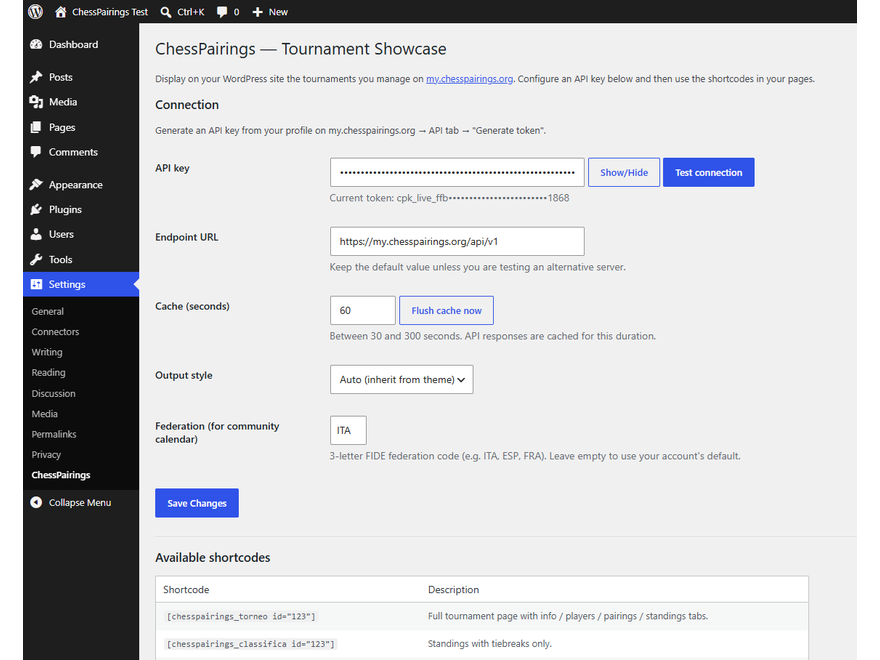
When the arbiter publishes results and pairings on ChessPairings, your site shows them automatically — all server-side, with an adjustable cache that keeps it fast.
Less copy-paste, more time for chess.
«I used to redo the standings by hand after every round. Now the tournament page updates itself while I'm in the playing hall.»
«I connected it in ten minutes. Members finally find pairings and regulations on one site, in our own theme.»
«The fact that you can't touch the pairing from the site is perfect: we display, the arbiter decides. Everything stays consistent.»
Install the plugin for free and give your members standings, pairings and regulations that are always up to date, on your site.
Install the plugin